VEHICLE FINDER · API · CONNECTORS
Pay for what your website needs.
Get started for free and choose your plan based on the database queries your store needs.
Get started for freeSee plans- 57,548vehicle versions
- 394brands in the catalogue
- Engine codesIndividual identification
- APIRemote queries from your website
The catalog, connected
Connect the vehicle catalog to your store without importing a complete database that takes up space and consumes resources on your server.
From vehicle to spare part
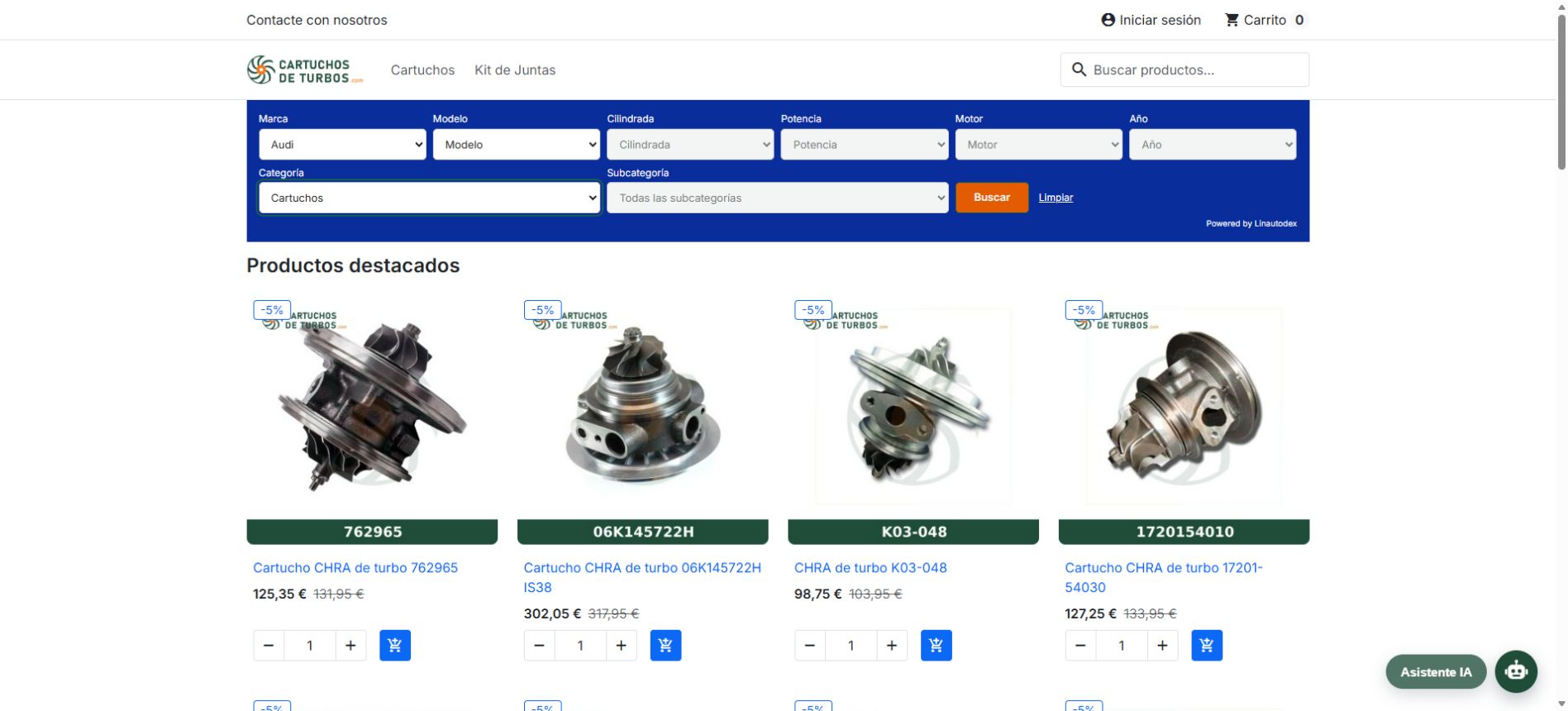
At PrestaShop, your customers choose their vehicle and find the products you have marked as compatible.
clear consumption
Changing the dropdowns does not consume database queries. In quota plans, consumption is applied when searching.
Choose my plan →IN YOUR PRESTASHOP STORE
From choosing a vehicle to finding your spare part.
Choose the vehicle
Start with the brand and specify the model, displacement, power, engine and year if you need it.
Specify the product
The category and subcategory help you find the type of spare part you are interested in.
Find compatible
The module filters the products according to the compatibilities that you have assigned in your store.
PREPARE YOUR PRODUCTS
Less work when configuring compatibilities.
The assistant analyzes your product descriptions and proposes vehicles from the catalog. Review the matches and confirm which ones to save.
- Add multiple vehicles to one product.
- Copy compatibilities or manage relationships using CSV.
- Create private vehicles if they are missing from the catalog.
You confirm compatibility
The assistant proposes. You decide which vehicles correspond to each product.
Private vehicles remain in your store. Its incorporation into the general catalog requires revision of Linautodex.
ADAPTED TO YOUR WEBSITE
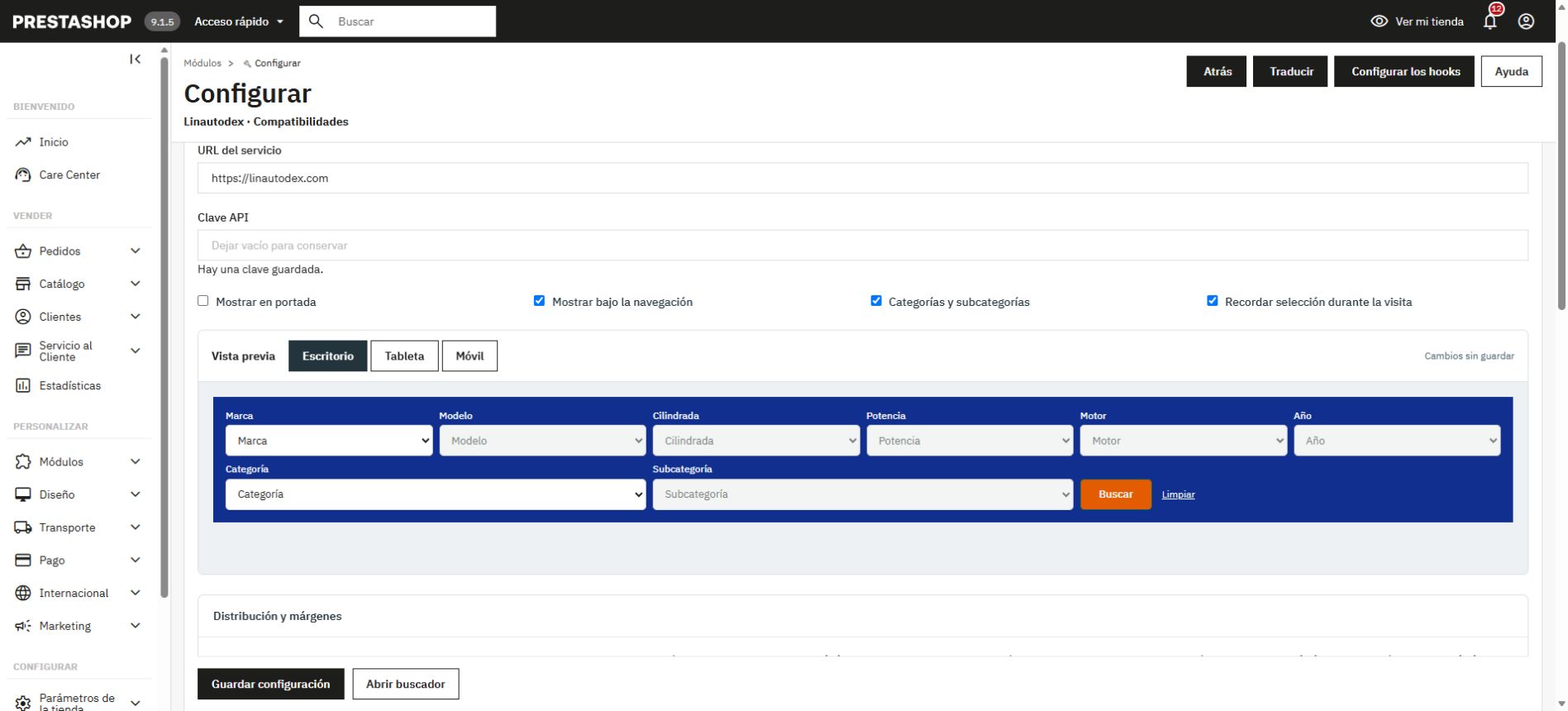
Your design, also in the search engine.
Configure location, layout, colors, fields and spacing. The preview shows your changes before you save them. Available options depend on your plan.
Before starting
Do I have to import the vehicle base to my store?
You do not need to import the entire catalog or manage its synchronization. The connector queries the Linautodex database from your server. Your store saves its settings, private vehicles, and compatibility relationships with your products.
How do compatible products appear?
In PrestaShop, you assign vehicles to your products. When a customer searches, the module shows the products in your store that match those compatibilities and the chosen category. The vehicle sheets alone do not include the compatibilities of your spare parts.
What counts as a query?
In quota plans, a successful search consumes a database query, even if you search only by brand or no matches are found. In the connector it is applied when you press Search. Changing dropdowns does not discount; retries of the same request and paging do not double the consumption.
Can I start for free?
Yes. You can create an account and use the free plan published on the plans page. There you will find your quota, the limits and the current customization conditions.
Choose what your store needs.
Get started for free and check the database for available plans.
Are you developing your own integration? Check the API documentation →